Storage and operations
Vue.io organizes your media without requiring a Vue.io cloud-storage plan. You operate the host, storage, network connection, and backups.
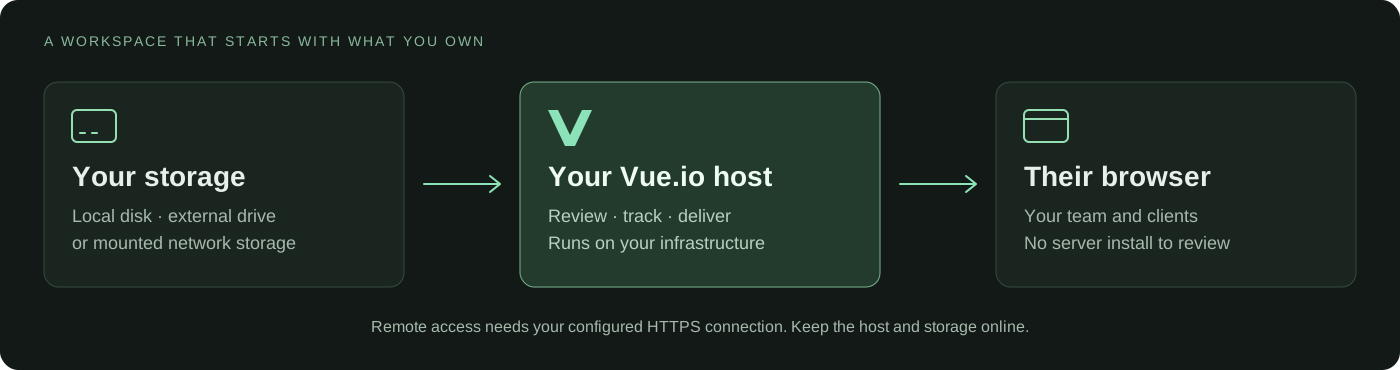
Know what lives where
| Location | Contents | Backup approach |
|---|---|---|
| Database | Accounts, projects, comments, membership, and history | Consistent vueioctl backup archive |
| Application files | Uploads, attachments, and generated previews | Separate file backup; previews can be rebuilt |
| Project media | Source files in selected media locations | Independent storage backup |
| Host configuration | Private settings, credentials, and storage mappings | Protected configuration backup |
The installer keeps Vue data separate from source media. Use vueioctl data
to inspect the installation's locations. An update does not move an existing
database into a newly selected folder.
Connect storage
Open Settings → Storage. The initial media location is already connected. For another eligible local drive, mount it on the Vue.io host, then use Add storage. The picker does not register arbitrary network paths. Use the host command for mounted network shares. A disk attached only to the reviewing computer is not host storage.
The application must be authorized to access the intended folder. Vue.io uses storage identity checks so a missing or replaced drive is not silently treated as the original. Reconnect the correct drive instead of deleting identity markers.
Network storage must already be mounted on the host. Network shares and FAT/exFAT can hold media but are not supported database locations.
Storage registration and permissions →
Change a project folder
An administrator can open a project card's menu and select Project folder. Use this when files have moved or when an internal project needs a working folder.
- Select the folder that contains the project's files.
- If offered, enable Copy Vue's internal files into this folder only when a copy is needed.
- Continue to the preview.
- Review matched files, missing files, and conflicts.
- Confirm only when the destination and matches are correct.
- Check shot playback, comments, and an existing share link.
Without the copy option, Vue.io changes file locations in its records. It does not move the source files. The copy option copies internal files without overwriting existing destination files. It retains the original copy. Keep original files until you verify the result. Read-only destinations support relinking, playback, and downloads, but not uploads or file changes.
If only some media is missing, use Find media in the project's offline-media notice. This searches the selected folder and its subfolders for exact matches. It does not change the working project folder. Uncertain matches need review.
Backups
On Linux:
sudo vueioctl backup
sudo vueioctl backups
The engine stops while the controller makes a consistent backup. Plan for this interruption.
These archives contain the database only. They do not include media, uploads, attachments, app files, or private host configuration. Back up those separately and store copies on an independent device or service.
Rehearse recovery on a disposable installation. Restoring database records cannot recover a missing source file.
Backup contents, retention, and restore →
Updates
Read the release notes first. Back up before updating. On managed installations, an administrator can use Settings → Updates → Update now. The page shows progress and reconnects after the application restarts.
Older installations may need one-time controller and updater setup. Do not use the fresh installer as an upgrade command. Stable is still an alpha channel; Nightly contains test releases. Switching channels does not downgrade a database.
Full update and channel guide →
If an update fails
Inspect the update log and run sudo vueioctl doctor. Do not repeatedly force
an update or run an older image against a newer database. Follow that release's
recovery instructions.
vueioctl rollback restores a pre-update database backup. Database changes
made after that backup are lost. Application and media files are not restored
or reverted by that operation.
Routine health check
sudo vueioctl status
sudo vueioctl version
sudo vueioctl doctor
These Linux examples use sudo. On an experimental Mac installation, use
the Mac management commands described in the administrator reference.